Team, plan and getting help
· 3 steps · 3 min read
Manage who works in your inbox, your plan and billing, and get help from the ChatFlow team.
Step 1
Invite your team
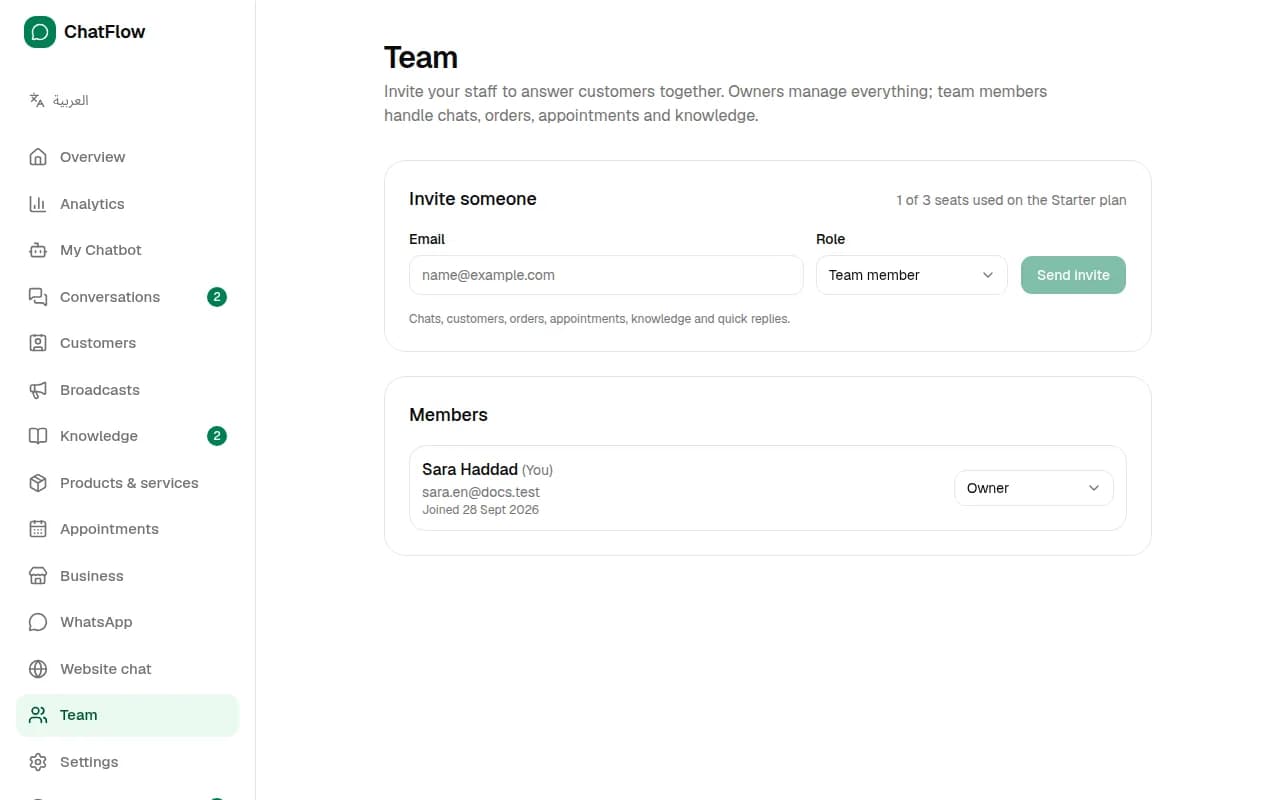
In Team, choose Invite someone and enter their email. Owners manage everything, including billing and the team. Team members handle chats, customers, orders, appointments and knowledge. Starter includes 3 members and Pro 10.
Step 2
Change your plan
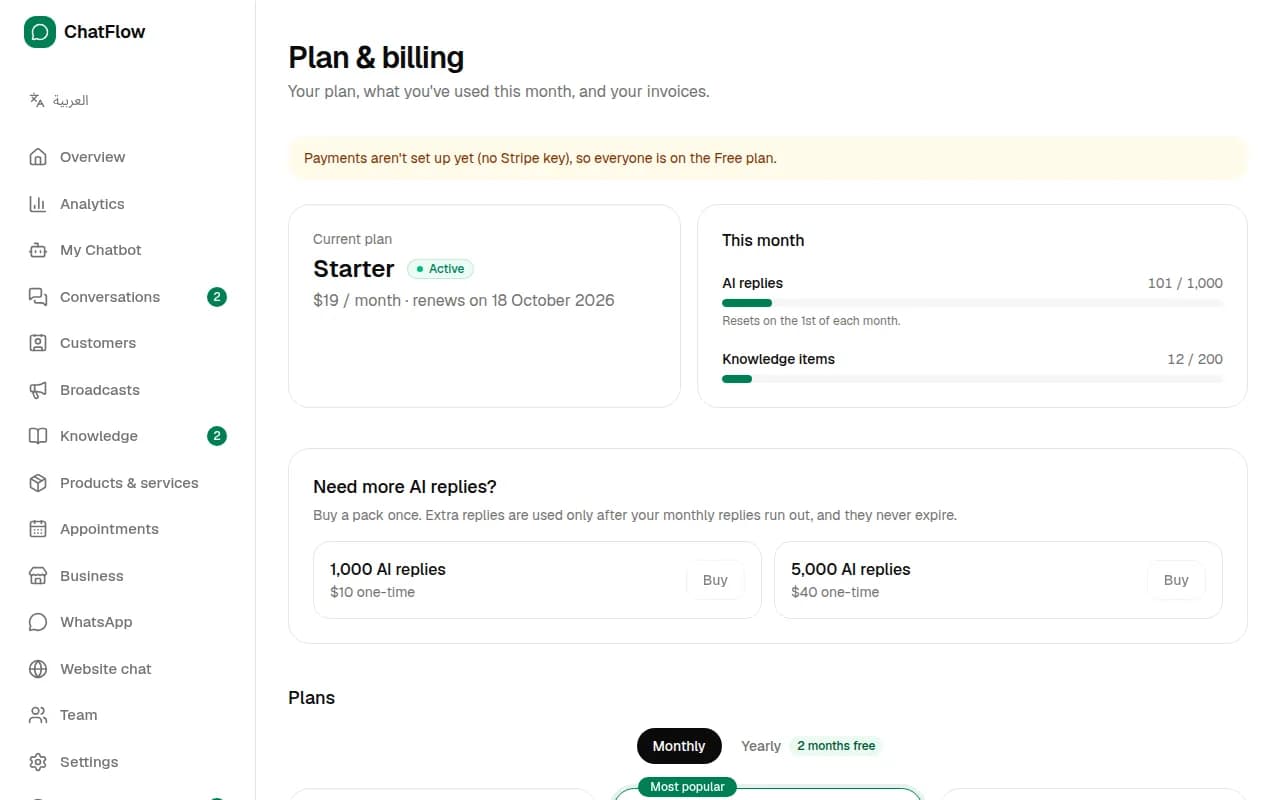
In Plan & billing, see your plan and what you've used this month. Upgrade, switch to yearly billing (2 months free) or buy a pack of extra AI replies that never expire. Paid plans are billed through Stripe.
Step 3
Get help
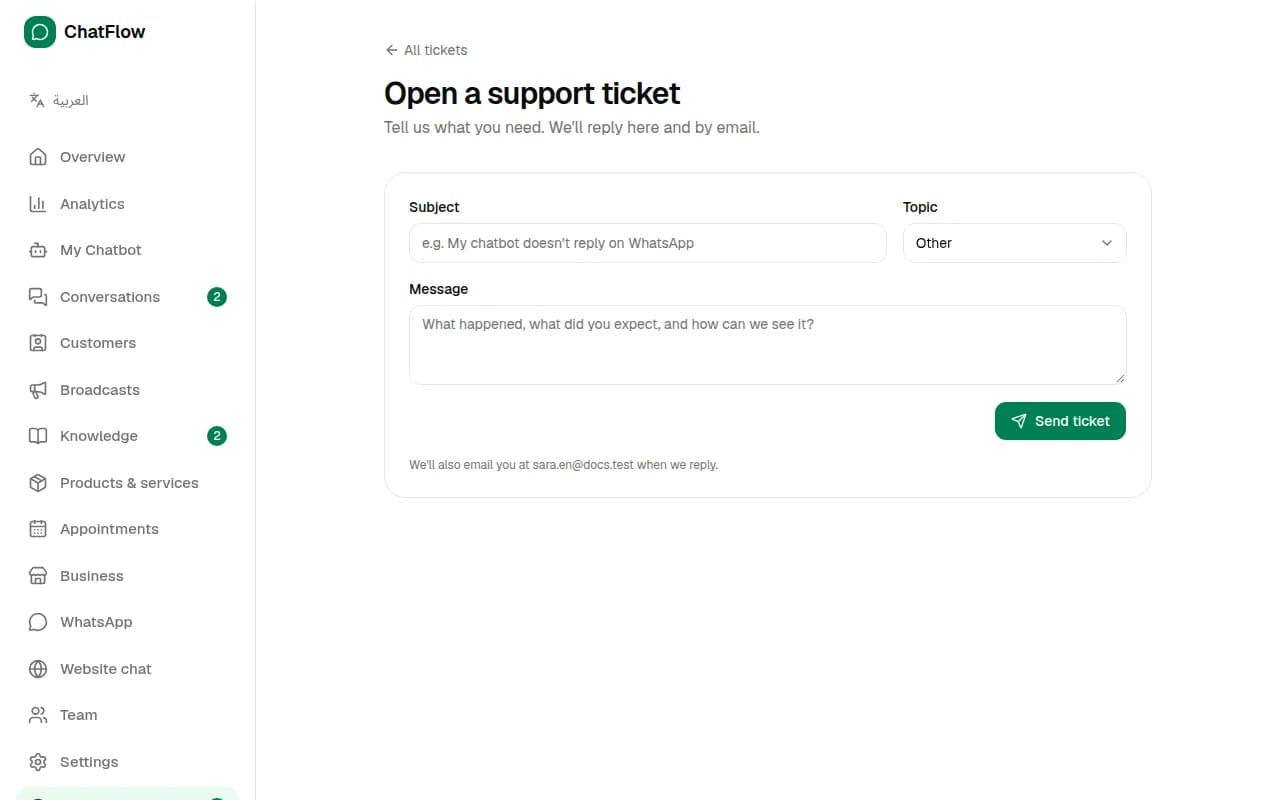
In Support, choose New ticket, pick a topic and describe what you need. We reply in the ticket and by email. You can also message us on WhatsApp from the button at the bottom of our website.
Still stuck?
Open a ticket from Support in your dashboard, or write to us. We usually reply within one working day.
Ready to try it?
Create your AI WhatsApp chatbot in minutes. Free plan, no credit card.
Try Chatbot Free