Track your results
· 2 steps · 3 min read
Two places show how your chatbot is doing: the Overview for the big picture, and Analytics for the details.
Step 1
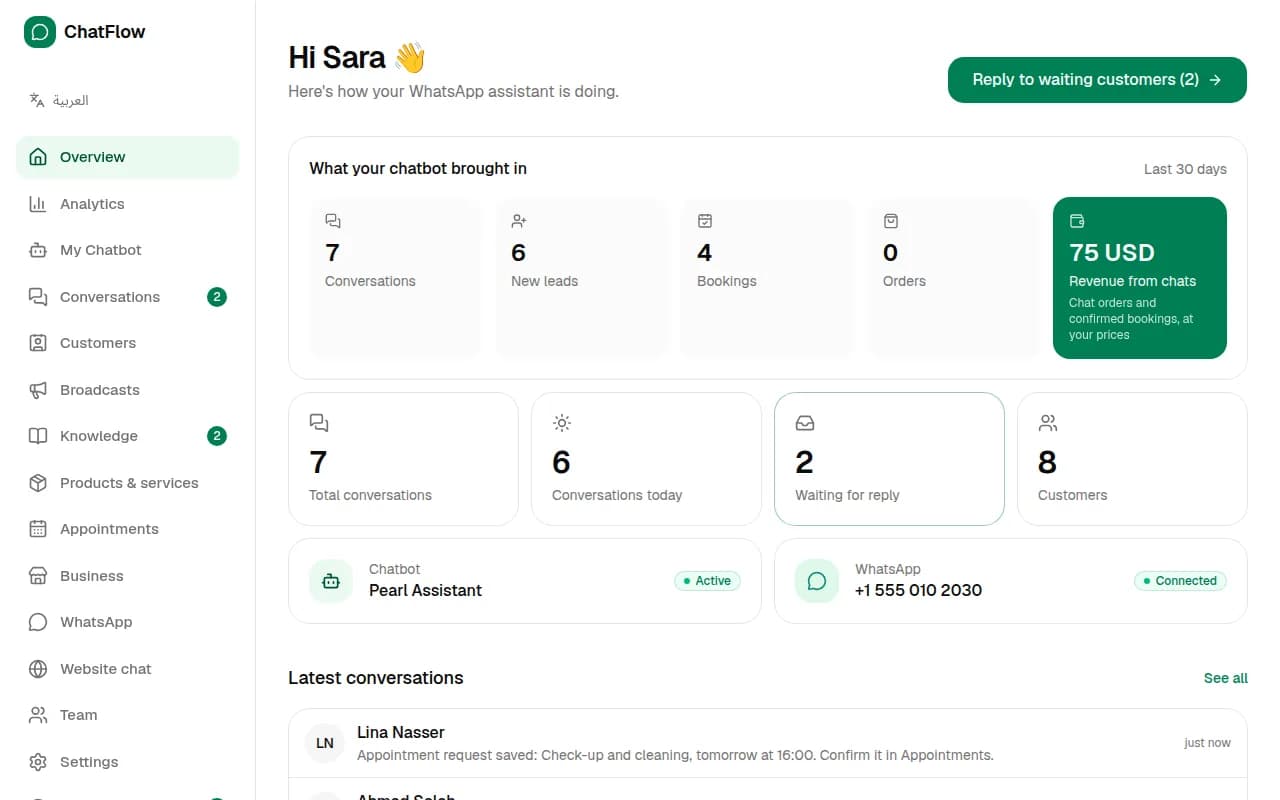
Overview
What your chatbot brought in shows the last 30 days: conversations, new leads, bookings, orders and revenue from chats (chat orders and confirmed bookings, at your prices). Below it, see who's waiting for a reply and the latest conversations.
Step 2
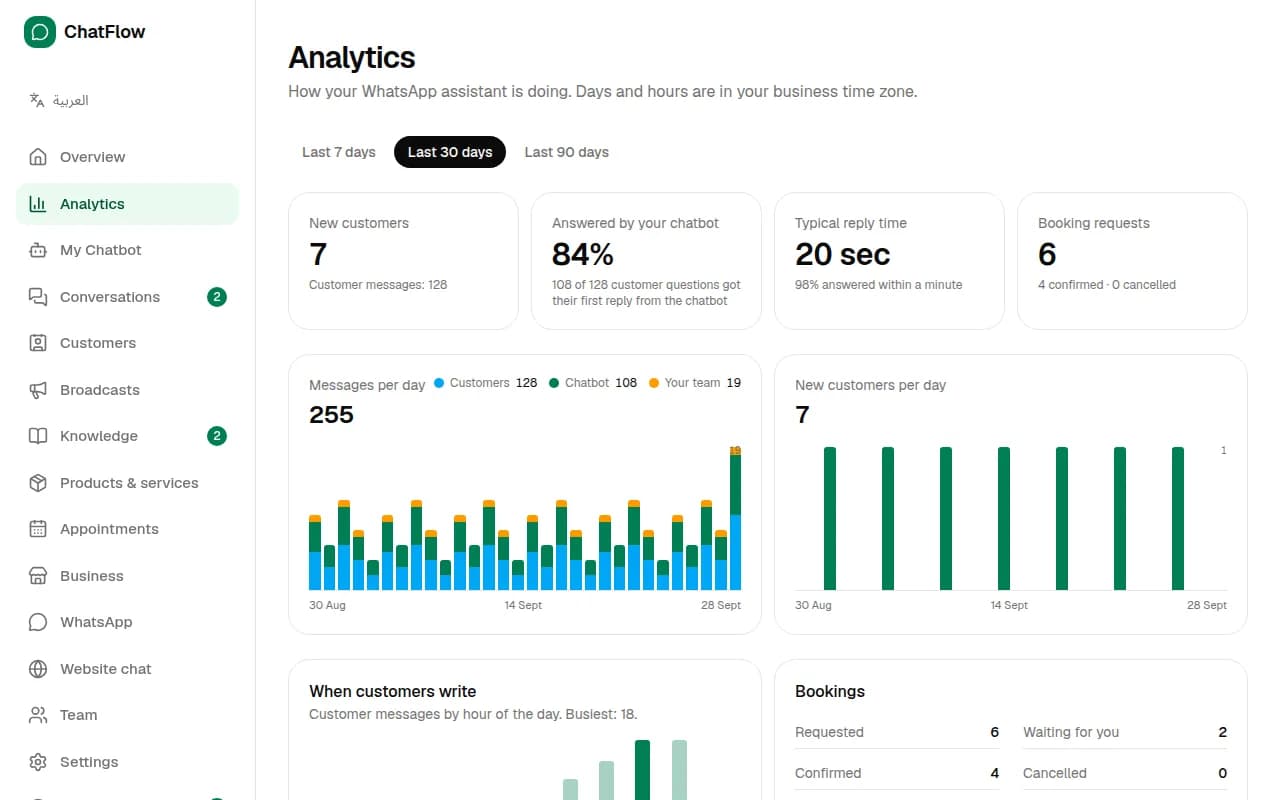
Analytics
Choose Analytics for messages per day, how many chats the AI answered by itself, your typical reply time, your busiest hours, booking results and the questions the chatbot couldn't answer. Switch between 7, 30 and 90 days at the top.
Still stuck?
Open a ticket from Support in your dashboard, or write to us. We usually reply within one working day.
Ready to try it?
Create your AI WhatsApp chatbot in minutes. Free plan, no credit card.
Try Chatbot Free