Marketing tools
Turn WhatsApp chats into repeat customers
Every person who messages you becomes a lead. Tag them, pick the right group, and send a WhatsApp or email campaign in a few clicks. Then see who read it and who came back.
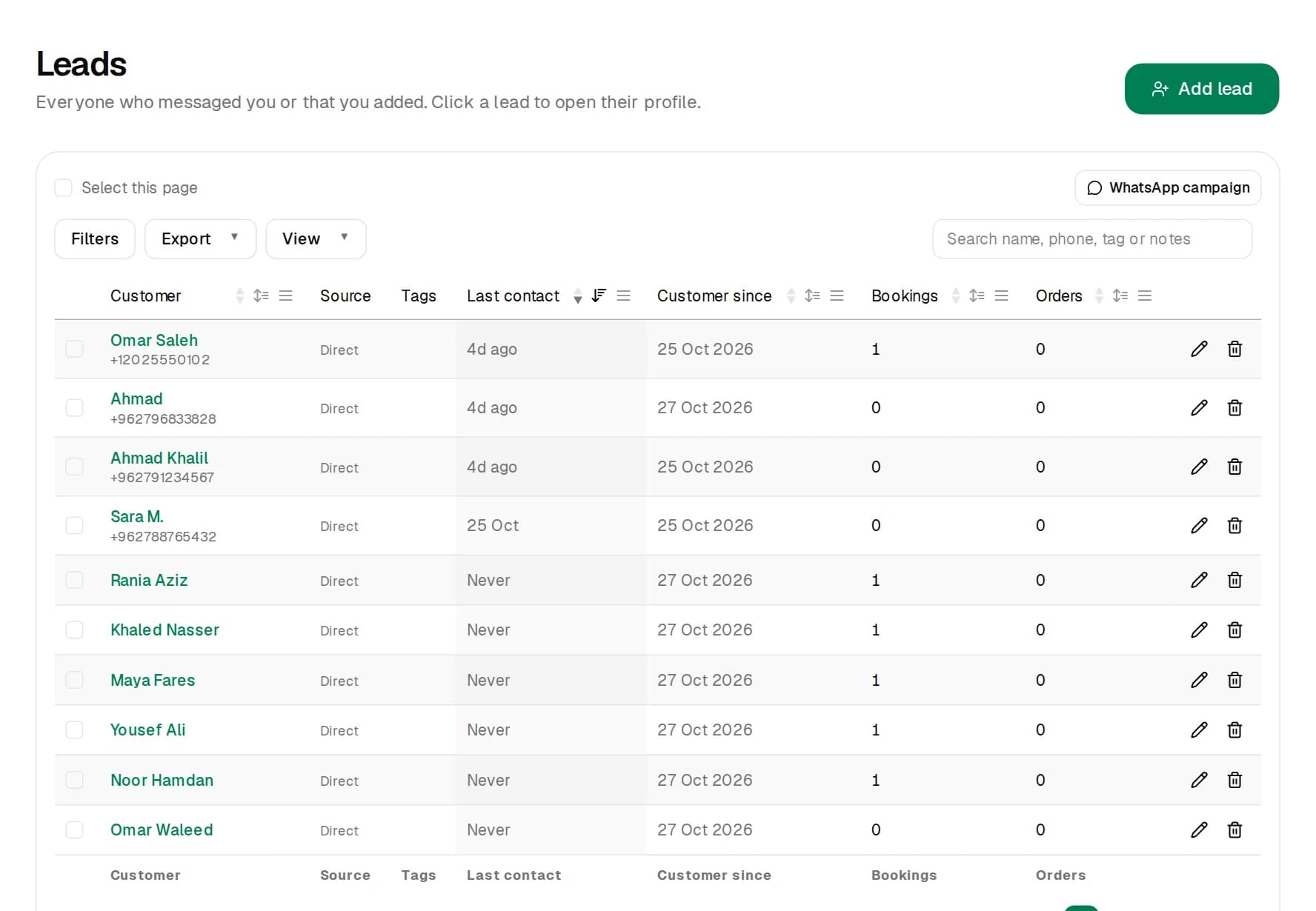
- place for leads and campaigns
- 1
- place for leads and campaigns
- channels: WhatsApp and email
- 2
- channels: WhatsApp and email
- spreadsheets to keep up to date
- 0
- spreadsheets to keep up to date
From first message to the next visit
- 1
Collect
Chats on WhatsApp and your website turn into leads automatically. Add people yourself too, or import their email.
- 2
Organise
Tag leads, filter by bookings, orders or last contact, and save groups you use often.
- 3
Send
Pick a group and send an approved WhatsApp message or an email, now or at a set time.
- 4
Measure
See how many WhatsApp messages were delivered and read, and how many emails went out.
Leads, without the spreadsheet
Every chat lands in one table you can search, sort and filter. Open a lead to see their chats, appointments and orders in one place.
- Add leads yourself or let them arrive from WhatsApp.
- Tags, notes and saved filters for the groups you use.
- Export to Excel or CSV whenever you need it.
WhatsApp campaigns people actually open
Send an approved WhatsApp template to the leads you choose, with their first name filled in. Replies come back to your inbox, where your assistant answers.
- Pick leads from the table or send to a saved group.
- Schedule it for the right moment.
- See sent, delivered, read and failed for every message.
Email campaigns with the unsubscribe handled
Write a short email with an optional button, preview it, send yourself a test, then send it to your leads with an email address.
- Only leads who haven't unsubscribed receive it.
- Every email has a one-click unsubscribe link.
- Send now or schedule for later.
Know what each campaign brings in
The Campaigns page shows every WhatsApp and email campaign in one table, with how many it reached, delivered and read.
- WhatsApp messages sent
- 1,240
- Read
- 86%
- Emails sent
- 980
- Delivered
- 97%
Example numbers.
Ads that open a WhatsApp chatComing soon
Soon you'll be able to publish one ad to Facebook, Instagram, TikTok and Snapchat from ChatFlow, with every tap opening a chat your assistant answers.
Included in Starter and Pro
WhatsApp and email campaigns to up to 1,000 leads a month on Starter and 20,000 on Pro. WhatsApp charges its own fee per marketing message.
See plansQuestions about campaigns
Do I need customers' permission?
Yes. Send WhatsApp and email campaigns only to people who agreed to hear from you. Every email includes an unsubscribe link, and people who unsubscribe are skipped automatically.
Why does WhatsApp need an approved template?
WhatsApp only allows businesses to start a conversation with a message template that Meta has approved. You create the template once, and it usually gets approved within minutes to a day.
How much does a WhatsApp campaign cost?
ChatFlow doesn't charge per message. Meta charges a small fee per marketing message, which depends on the customer's country.
Where does the email come from?
Emails are sent from ChatFlow's email service with your business name as the sender, and replies go to your business email.
Start bringing customers back
Create your assistant for free, collect leads from your WhatsApp chats, and send your first campaign when you're ready.
Try Chatbot Free