Connect your WhatsApp number
· 4 steps · 4 min read
Your chatbot answers on the WhatsApp number your customers message. You need a phone number for your business that can receive a code by SMS or call. It can be your current WhatsApp Business number or a new one.
Step 1
Open the WhatsApp page
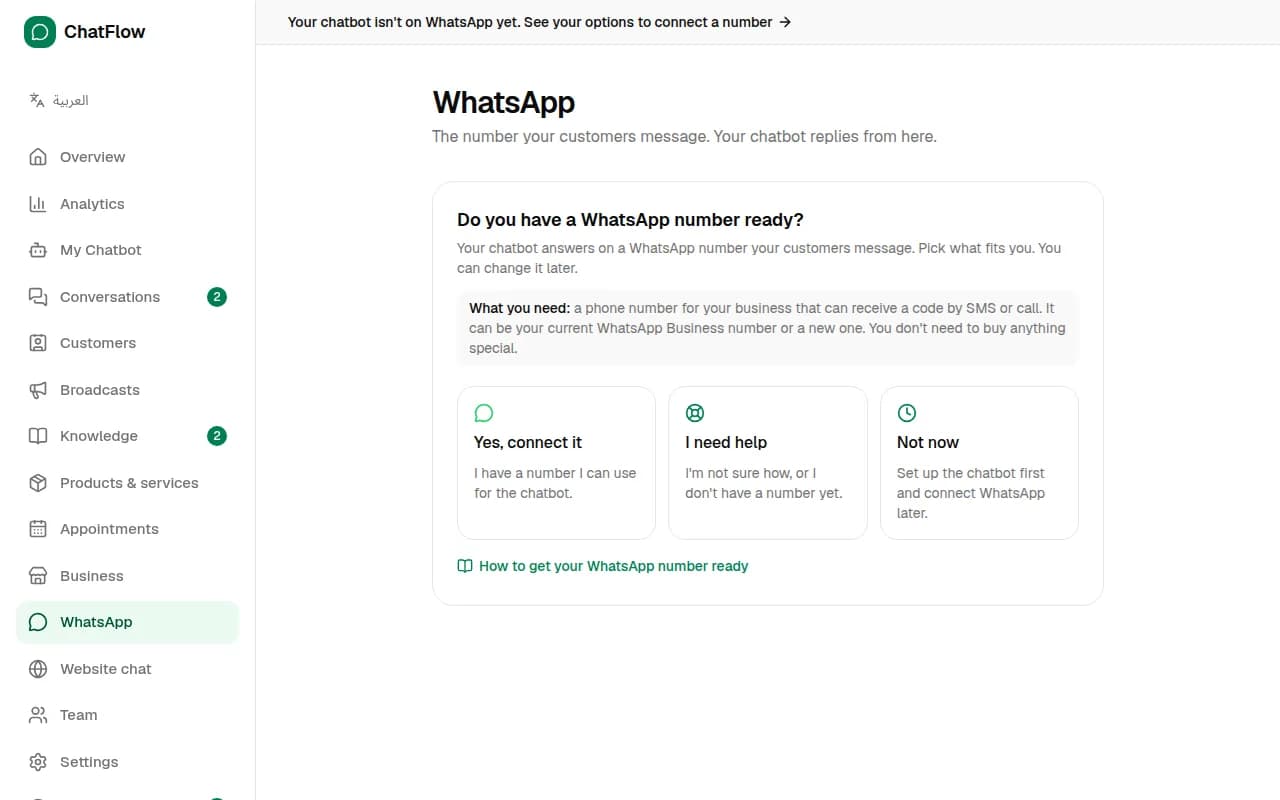
In the menu, choose WhatsApp. If it isn't connected yet, you'll be asked: Do you have a WhatsApp number ready? Pick the option that fits you. You can change your mind later.
Step 2
Yes, connect it
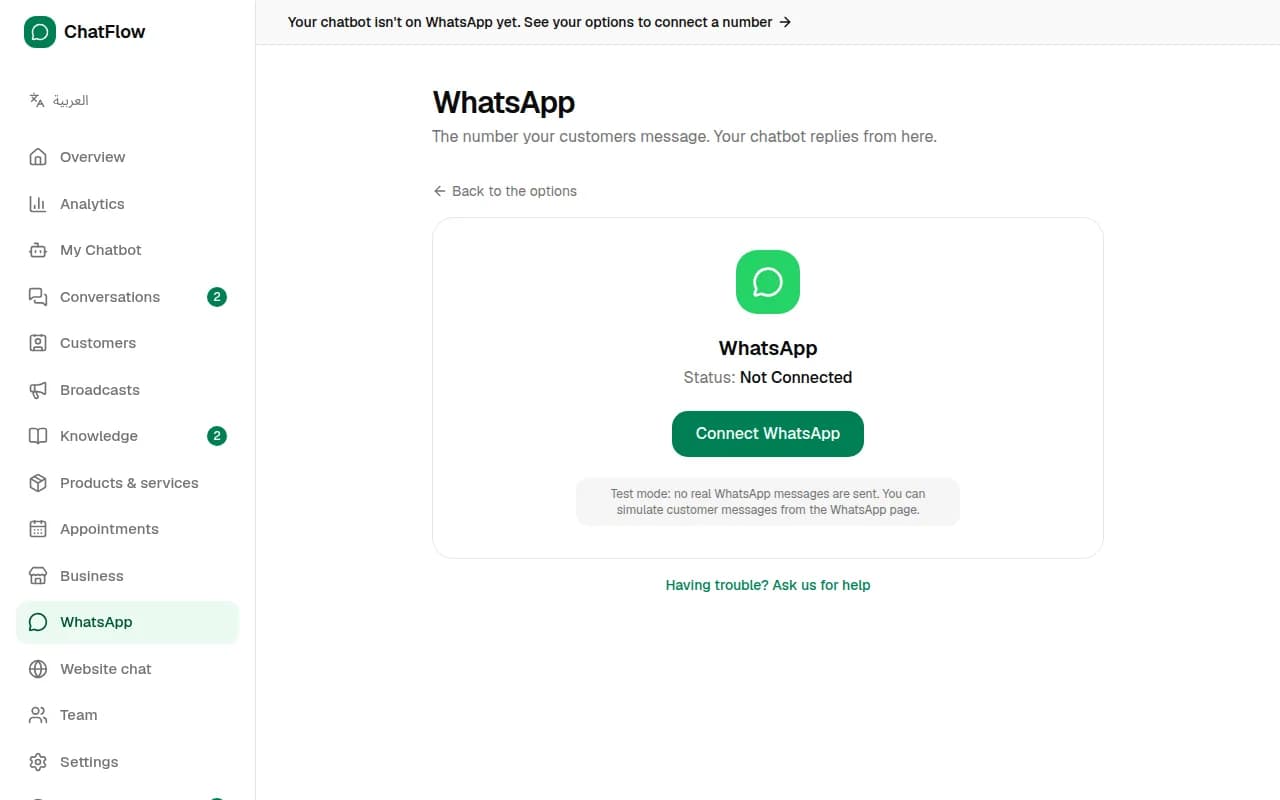
Choose Yes, connect it, then Connect with Facebook. A Facebook window opens: log in, choose or create your business, add your number and type the code WhatsApp sends you. It takes about two minutes. When it's done, the page shows Connected with your number.
Step 3
Not sure? Ask us for help
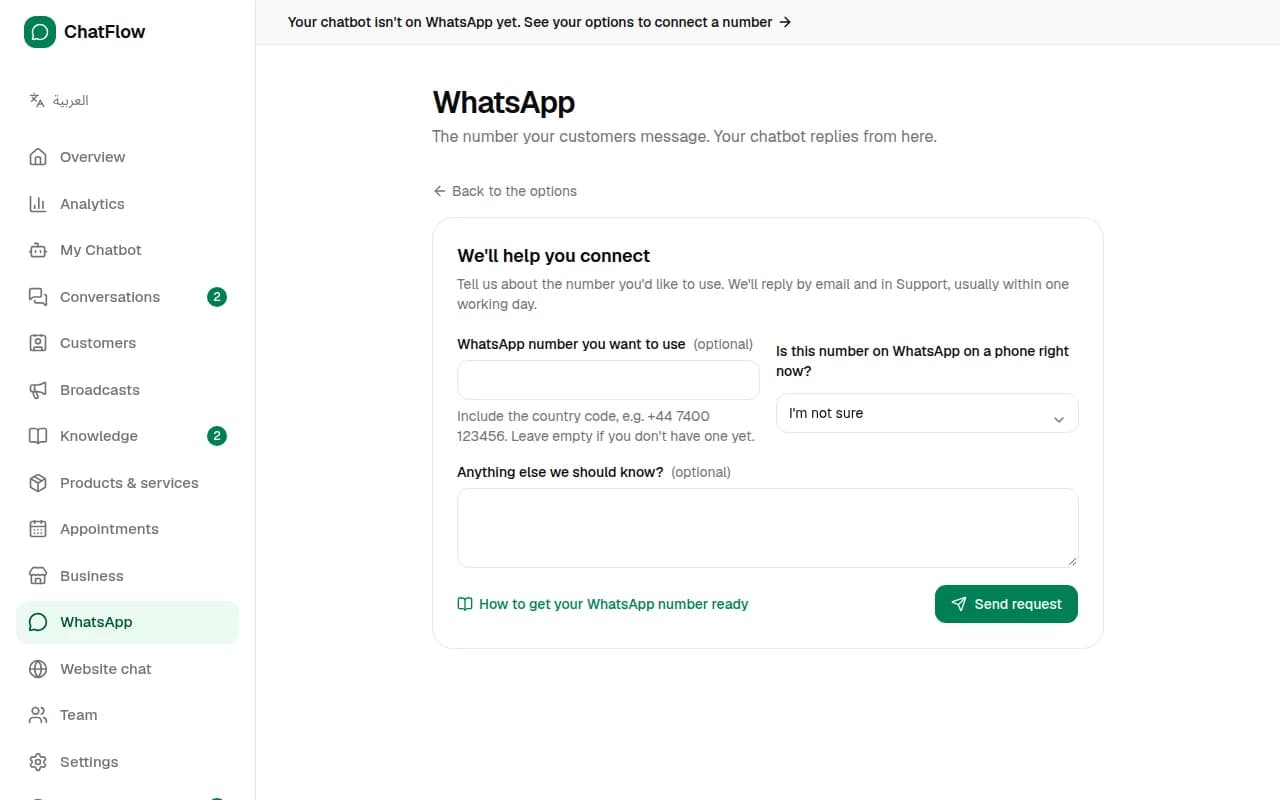
Choose I need help if you don't have a number yet or aren't sure how. Tell us the number you'd like to use and whether it's on WhatsApp right now, then choose Send request. Our team replies by email and in Support, usually within one working day.
Step 4
Check it's working
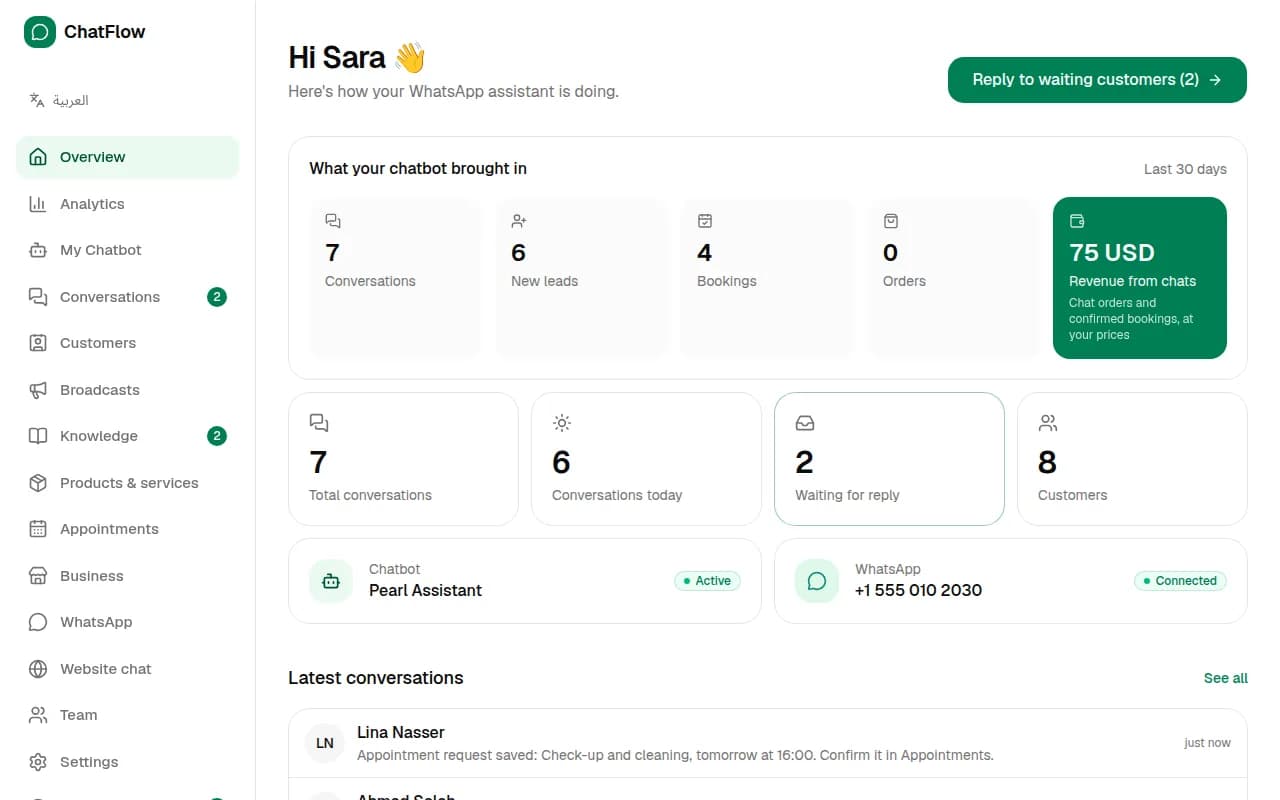
Your Overview shows the WhatsApp status and number. Send a message to your number from another phone: the chatbot replies, and the chat appears in Conversations.
Still stuck?
Open a ticket from Support in your dashboard, or write to us. We usually reply within one working day.
Ready to try it?
Create your AI WhatsApp chatbot in minutes. Free plan, no credit card.
Try Chatbot Free