Customers, segments and broadcasts
· 5 steps · 5 min read
Everyone who messages you becomes a customer you can filter and tag. On Starter and Pro, you can send an approved WhatsApp message to a group of them.
Step 1
Find your customers
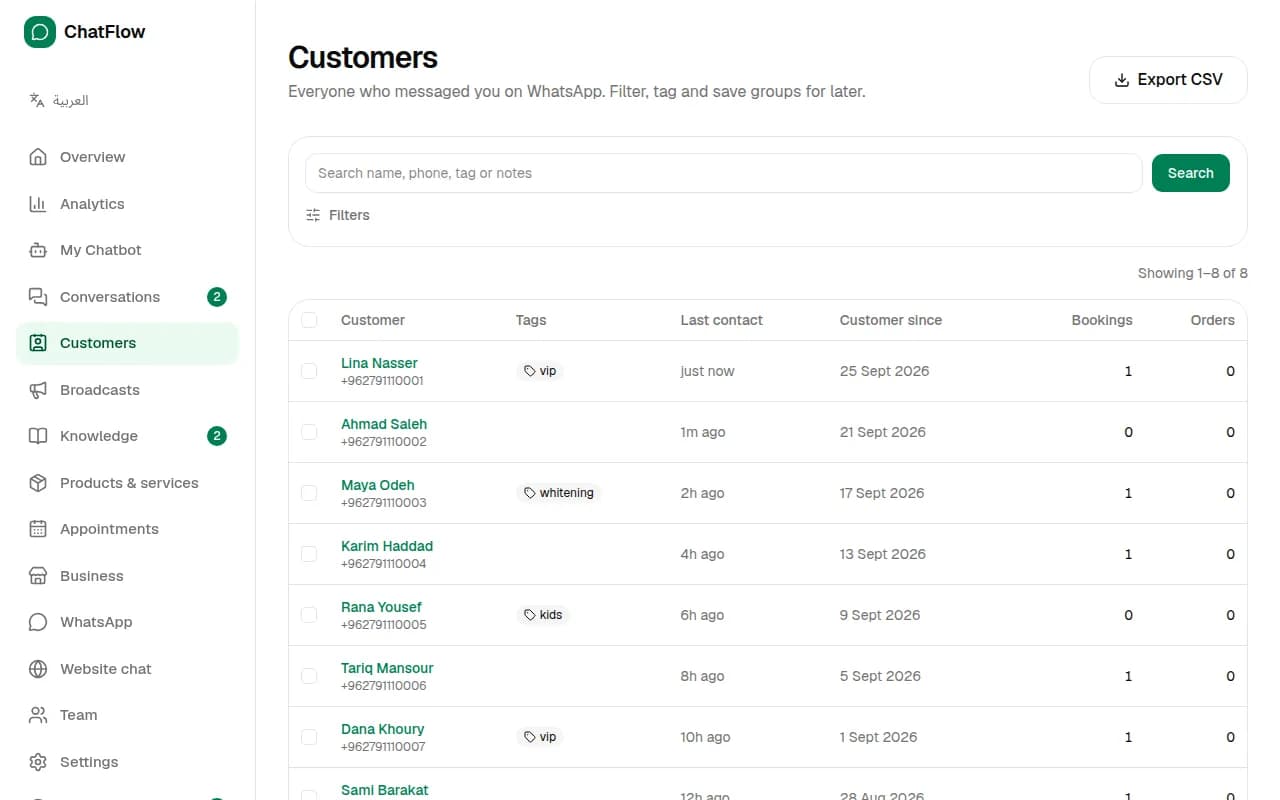
In the menu, choose Customers. Search by name, phone, tag or notes, open anyone's profile, or choose Export CSV to download the list.
Step 2
Filter and save a group
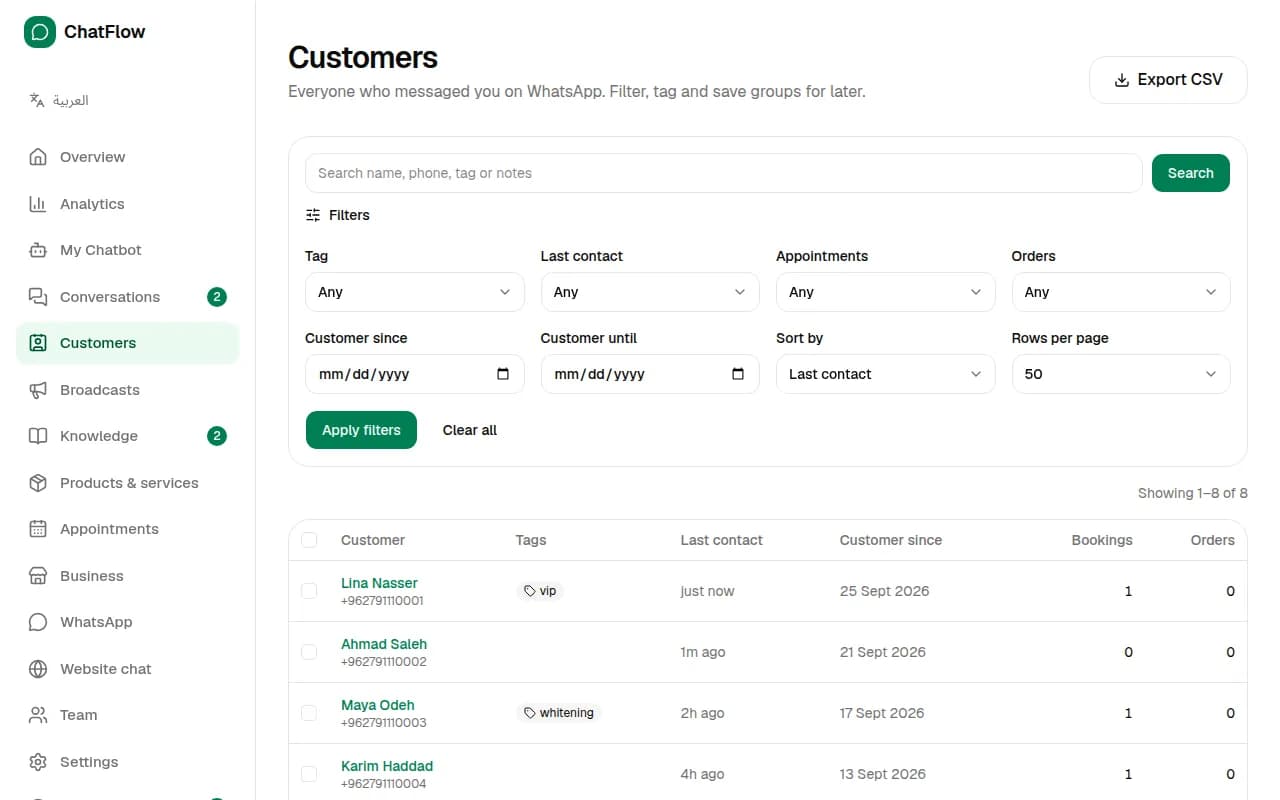
Choose Filters to narrow the list by tag, last contact, bookings or orders, then choose Save as segment to keep it, for example "VIP customers" or "No visit in 90 days".
Step 3
Create a message template
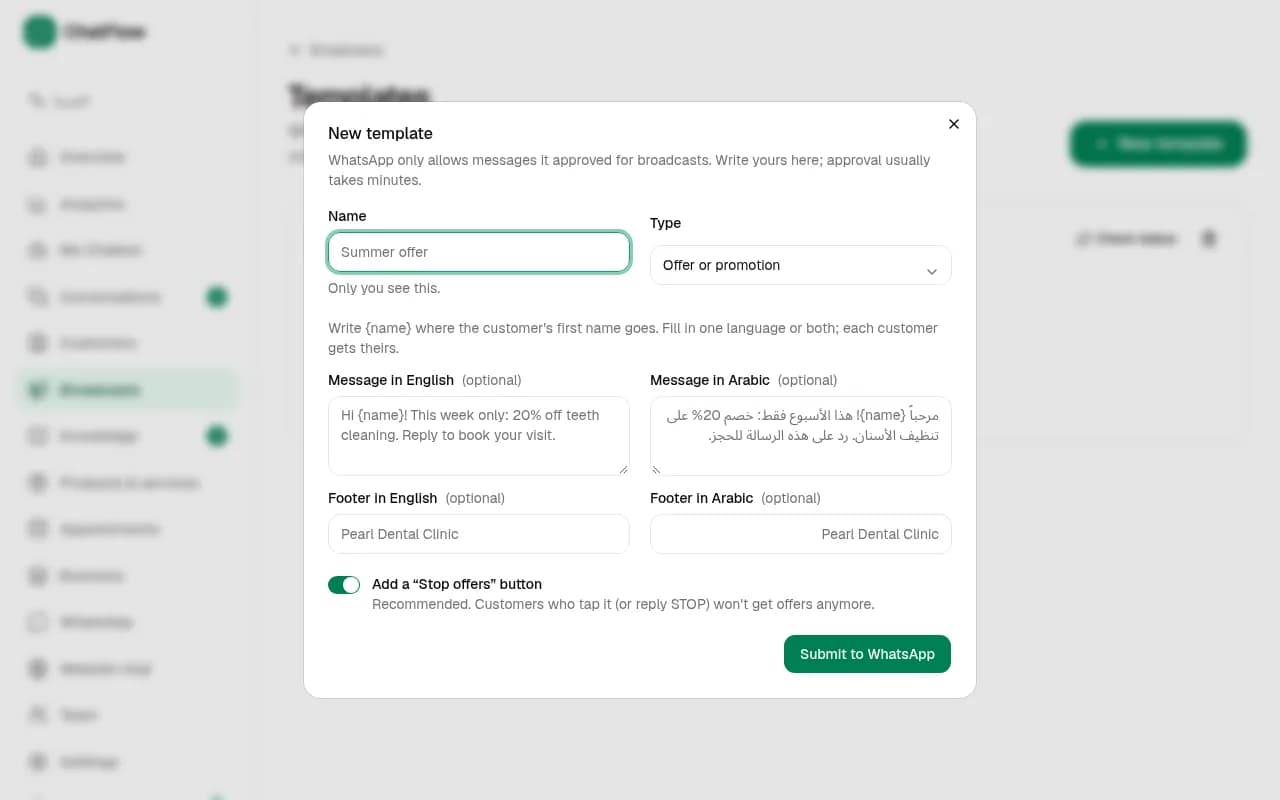
WhatsApp requires an approved template for messages you start. In Broadcasts → Templates, choose New template, write your message in English and/or Arabic, and use {name} for the customer's first name. Meta reviews each template before you can use it; the page shows its status.
Step 4
Send a broadcast
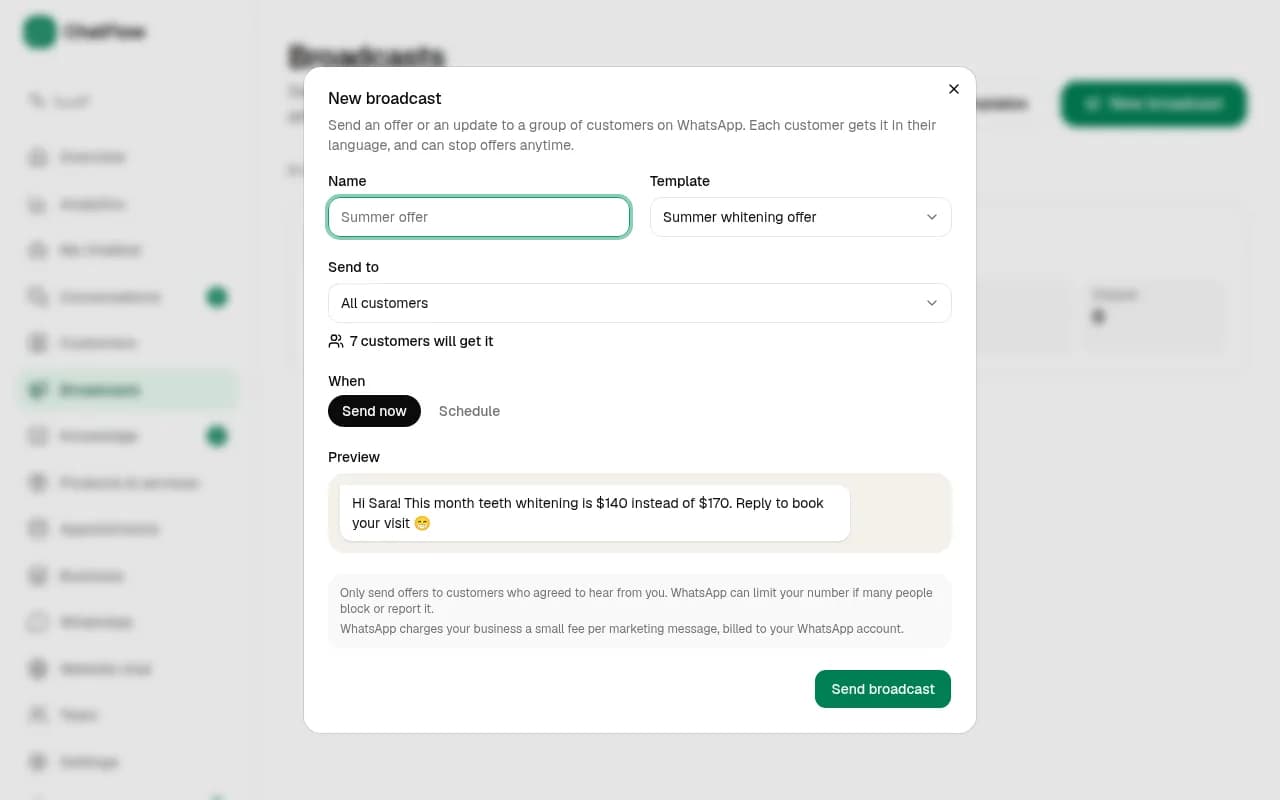
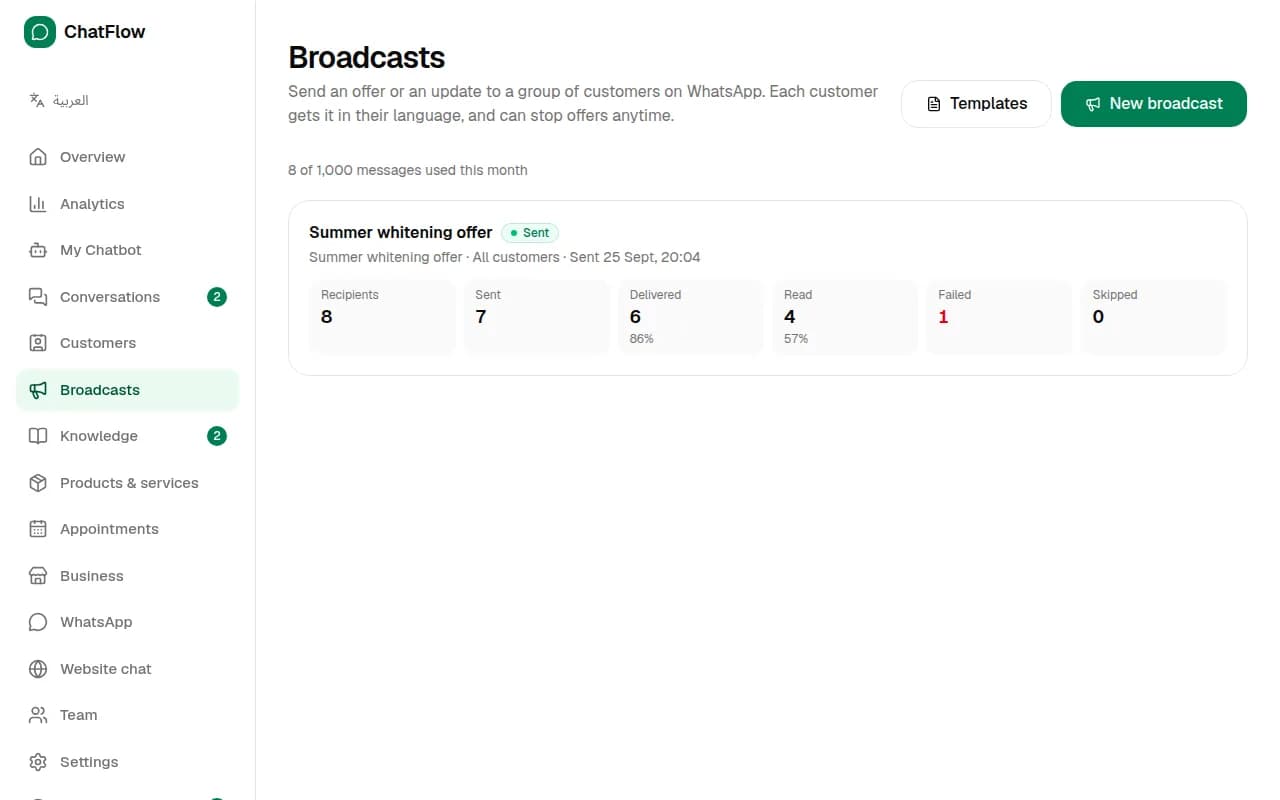
Choose New broadcast, pick an approved template and your audience (all customers or a saved segment). You'll see how many customers will get it. Send it now or schedule it.
Step 5
See the results
Each broadcast shows how many messages were sent, delivered, read and failed. Customers can tap Stop offers or reply STOP to unsubscribe, and they're skipped from then on.
Still stuck?
Open a ticket from Support in your dashboard, or write to us. We usually reply within one working day.
Ready to try it?
Create your AI WhatsApp chatbot in minutes. Free plan, no credit card.
Try Chatbot Free